
GIPTERSPECIAL & SPATIAL INTELLIGENCE
KO EN

Free web tools by GIPTER

No install. No sign-up.
Just open your browser and go.

We built these tools for our own work, and now we're opening them to everyone, free of charge. Everything runs inside your browser, so your files are never uploaded to GIPTER's servers.

FREEFree · no sign-up
PRIVATEFiles stay in your browser
NO INSTALLNothing to install

Tools

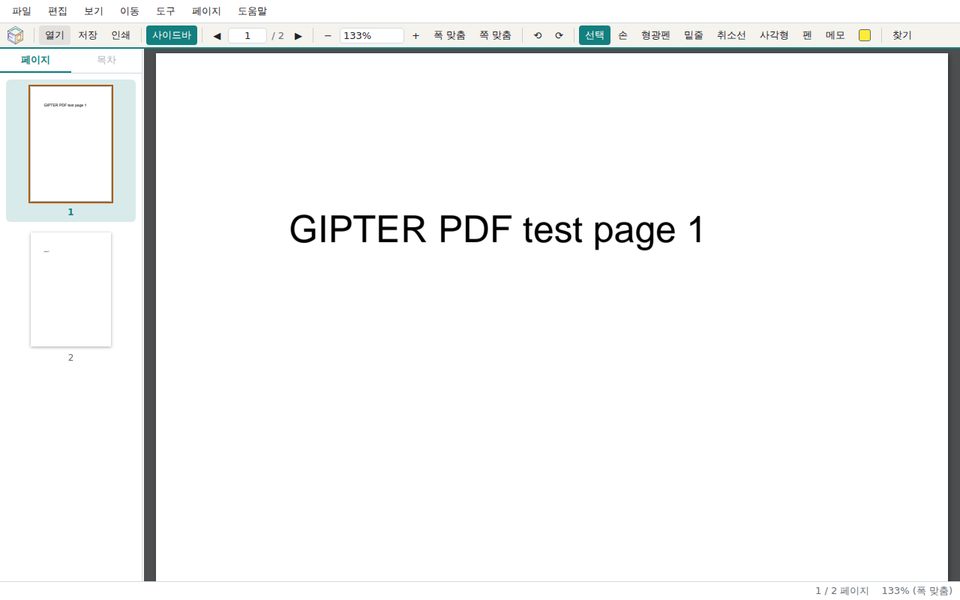
GT-PDFView screen — page thumbnails on the left, PDF content on the right
PDF Viewer & Annotator

GT-PDFView

Open and read PDFs, mark them up with highlights, underlines and notes, then save them back as PDF. Page thumbnails and the outline help you move through long documents quickly.

  • Highlight · underline · strikeout
  • Rectangle · pen · notes
  • Search · outline
  • Rotate · print · save

Best on desktop · built-in PDFium engine · Korean UI

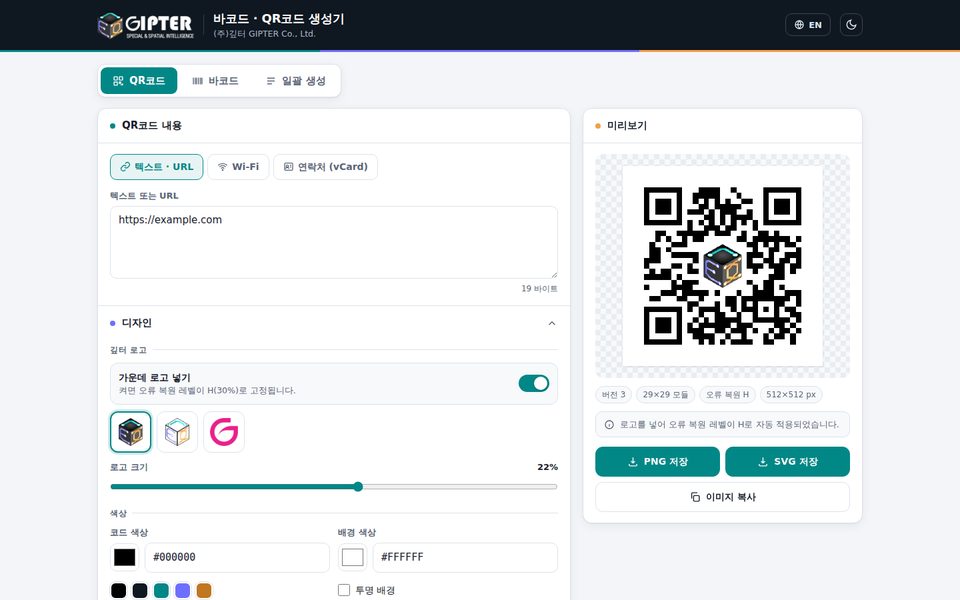
Code generator screen — QR code preview with a logo in the center
Barcode & QR Generator

Barcode & QR Generator

Create QR codes for URLs, Wi-Fi and contacts (vCard), plus CODE128, EAN, UPC and other barcodes. Paste a list to generate many at once and download them as a single ZIP file.

  • QR · barcodes
  • Batch generation
  • Logo · custom colors
  • Save as PNG · SVG

Desktop · mobile · Korean/English UI

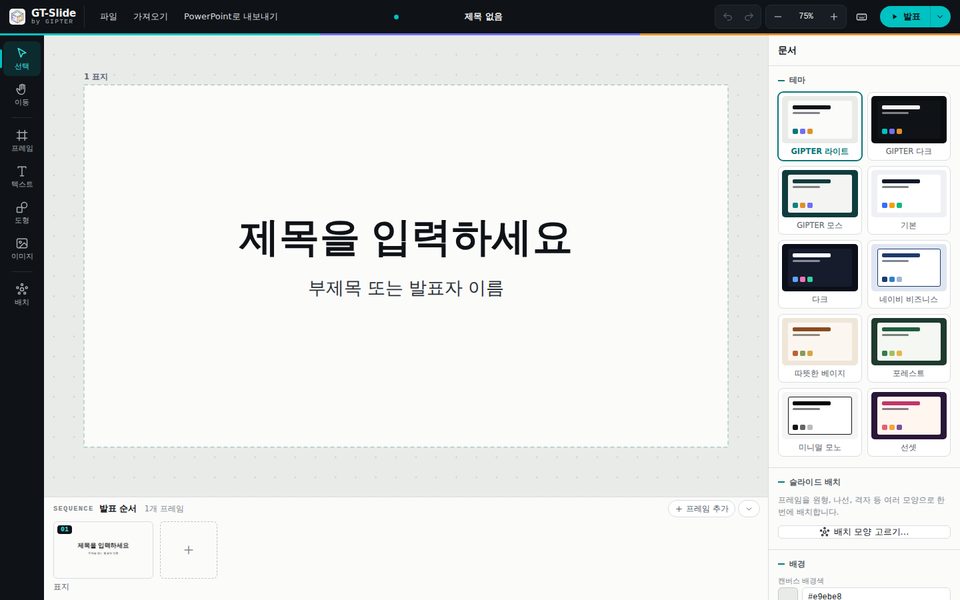
GT-Slide screen — a cover frame on the canvas and the theme list
Canvas Presentation

GT-Slide

A presentation tool where you place frames on a wide canvas and move through them in order. Import PowerPoint, PDF and image files to edit, and export the result as a PowerPoint file.

  • Frames · presentation order
  • 10 themes
  • Import PPTX · PDF
  • Export PPTX

Best on desktop · editor designed for large screens · Korean UI

Privacy by design

Your documents
never leave your computer.

  1. 01

    There is no upload server. This website serves static files only. It has no server-side function that receives or stores files at all.

  2. 02

    The tools run inside your browser. When you open a tool, the whole program is downloaded at once. After that, opening, editing and saving files all happen on your own device.

  3. 03

    Only your settings stay in your browser. Recent settings and file lists are kept in this browser for convenience, and are removed when you clear the site data.

How to use

01 · OPEN

Opens in a new tab

Each tool runs in its own tab, separate from this website. The website tab stays open while you work.

02 · BROWSER

Use an up-to-date browser

Works best in the latest Chrome, Edge and similar browsers. The PDF viewer and presentation tool download a few MB the first time, so please give them a moment.

03 · SAVE

Save your results yourself

Nothing you make is kept on a server. Before closing the tab, use Save or Export to download the file to your computer.

Feedback

Found something inconvenient, or need a feature?
Let us know.

Send feedback ↗

The web tools are provided free of charge. Please check the accuracy of results before use — we recommend test-scanning barcodes and QR codes with a real scanner.